Airspace awareness

RIDAR

Know what’s
above you.

Detect Remote ID broadcasts, put contacts on your ATAK map, and share the picture with your team. Two sensor formats. One RIDAR software experience.

Choose the sensor.
Match the mission.

Remote ID awareness in both. Crewed aircraft visibility with RIDAR-U. A MAAK field module format with RIDAR-FM.

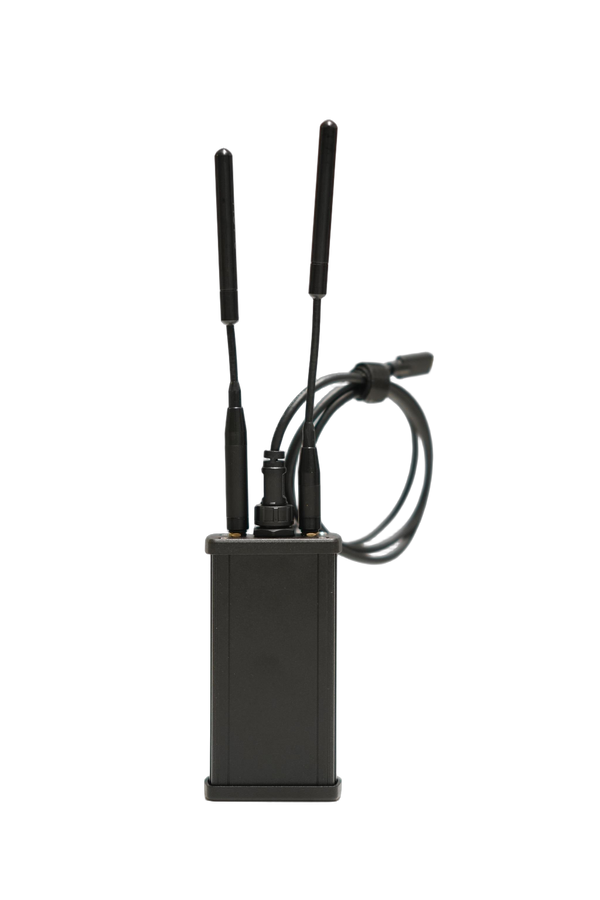
RIDAR-U sensor with antennas and USB cable

Remote ID + ADS-B

RIDAR-U

Put broadcasting drones and ADS-B aircraft in the same operating picture. A rugged aluminum sensor for event coverage, emergency management, and field deployments.

Airspace
Remote ID drones and ADS-B aircraft
RF awareness
BLE and Wi-Fi observations
Format
Machined aluminum enclosure
Explore RIDAR-U
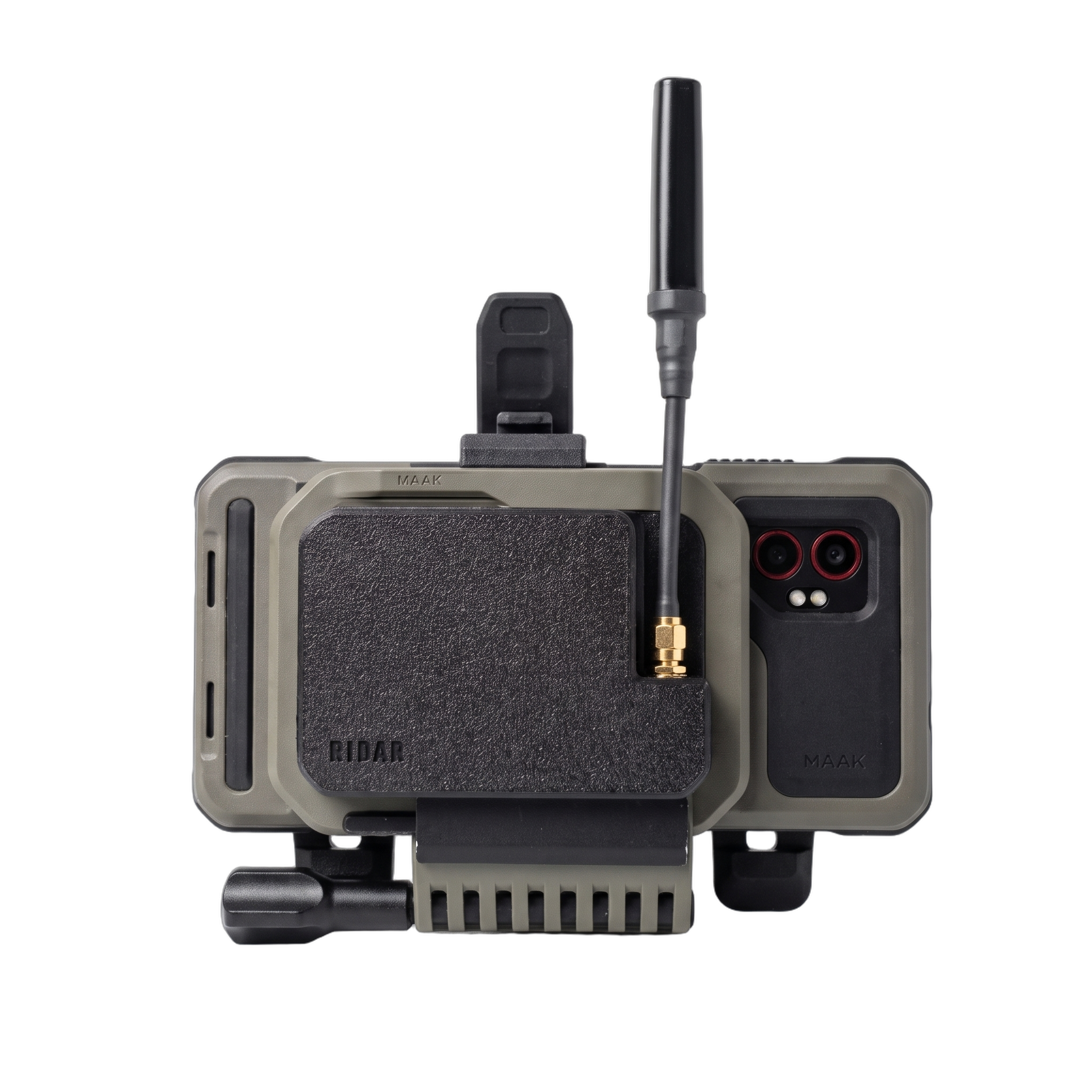
RIDAR-FM field module shown mounted to an EUD and chest mount

Remote ID · Field module

RIDAR-FM

Carry Remote ID detection on the equipment you already use. A lightweight MJF-printed Nylon 12 field module built for compatible MAAK cases and chest mounts.

Airspace
Remote ID drones; ADS-B not included
RF awareness
BLE and Wi-Fi observations
Format
MJF-printed Nylon 12 MAAK field module
Explore RIDAR-FM

RIDAR-FM shown with an EUD and mount. See each product for included equipment and mounting options.

From detection
to shared awareness.

Both sensors work with the RIDAR ATAK plugin, keeping detections and their context in the map your team already uses.

See the contact.

View received Remote ID drone positions and pilot or takeoff locations when those fields are broadcast. RIDAR-U also receives ADS-B aircraft traffic.

Build the context.

Review detection history, spoof scoring, and identification tools alongside BLE and Wi-Fi observations. Assess what the sensor receives without leaving ATAK.

Share the picture.

Use your configured TAK network, mesh, or radio pathway to share detections with teammates. Local detection can operate offline; team sharing depends on your communications setup.

Detection is passive and depends on received broadcasts, antenna placement, terrain, and RF conditions. Remote ID does not reveal every drone; displayed fields depend on the aircraft’s broadcast.

RIDAR ATAK plugin

Start with the
software.

Explore Remote ID reception on a compatible Android EUD before choosing dedicated hardware. Add RIDAR-U or RIDAR-FM when your deployment calls for an external sensor.

The same plugin connects your sensor to ATAK, with detection history, contact context, and team-sharing tools in one place.

Get the free RIDAR plugin

For agencies, organizations, and teams

Build your airspace
awareness capability.

Tell us where you operate, what you need to see, and how your team connects. We’ll help scope the sensor, EUD, and communications setup.

Talk to our team